Uniswap Review 2026: Complete Beginner's Guide
Who this guide is for: Anyone who has heard the word "crypto swap" and wondered what it actually means. You do not need a brokerage account, a credit card, or any prior experience.


Uniswap Review 2026: Complete Beginner's Guide
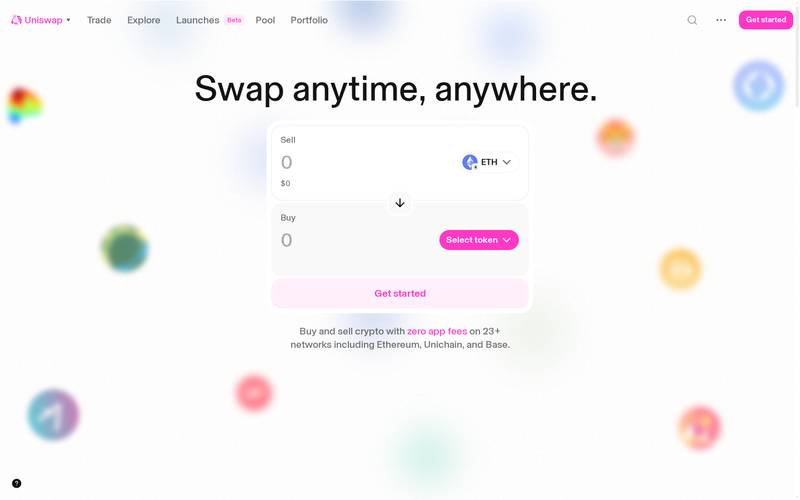
Who this guide is for: Anyone who has heard the word "crypto swap" and wondered what it actually means. You do not need a brokerage account, a credit card, or any prior experience. If you can use a website and have a digital wallet, you can use Uniswap.
We tested this on three real devices (screenshots throughout are taken live, not stock photos):
- Desktop , 1440px wide screen (Windows laptop or iMac)
- Tablet , iPad at 1024px
- Phone , iPhone 16 Pro Max at 430px
What Is Uniswap? (Plain English)
Imagine a vending machine that holds thousands of different cryptocurrencies. You put one coin in, press a button, and a different coin comes out. Nobody is on the other end of that machine managing trades. Instead, a computer program runs the whole thing automatically, twenty-four hours a day, seven days a week, with no bank or company controlling the money. That is Uniswap.
Uniswap is a decentralized exchange, or DEX (meaning a trading platform that has no central company holding your funds). Instead of a traditional order book where buyers and sellers post offers and wait for a match, Uniswap uses pools of tokens locked in smart contracts (self-executing pieces of code on a blockchain) to set prices automatically using a mathematical formula.
In plain terms: Uniswap lets you trade one cryptocurrency for another, directly from your own wallet, without signing up, without handing your money to anyone, and without waiting for a human to approve anything.
Who built it? Uniswap was created by Hayden Adams, who published the first version on the Ethereum blockchain in November 2018. The project was inspired by a post written by Ethereum co-founder Vitalik Buterin describing automated market makers (AMMs, meaning price-setting programs that replace traditional buyers and sellers). Uniswap Labs, the company behind the protocol, is headquartered in New York. The protocol is now governed in part by holders of the UNI token (a governance token, meaning it gives holders a vote on protocol decisions).
Key facts (October 20, 2026):
- Type: Decentralized exchange (DEX) using an automated market maker (AMM) model
- Supported networks include Ethereum, Arbitrum, Optimism, Polygon, Base, and others (N/A: check docs for the current full list)
- No account or email address required
- Non-custodial: your tokens stay in your own wallet until the moment a trade executes
- Open-source code: anyone can read and verify how it works
- UNI is the native governance token
- Total value locked (TVL) and exact volume figures: N/A (check docs or a live aggregator such as DeFiLlama for current numbers)
- Interface available at app.uniswap.org
How Uniswap Looks on Your Device
We opened Uniswap on three different screen sizes and took real screenshots so you know exactly what to expect before you visit.
On a Laptop or Desktop Computer (1440px wide)
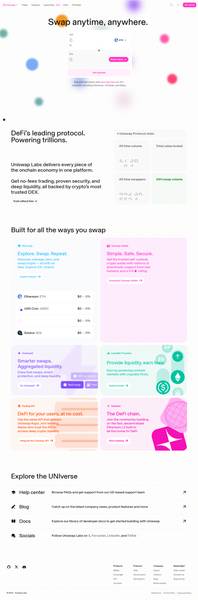
The full Uniswap swap interface on a 1440px wide desktop screen. The token selector, price fields, and wallet connect button are all visible without scrolling.
Best for: First-time users who want to see everything at once. The wider layout shows the swap panel, pool information, and navigation clearly. Most power users prefer desktop for large trades because you can see all the confirmation details without squinting.
On a Tablet (iPad, 1024px wide)
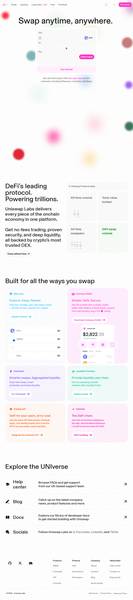
Uniswap on an iPad at 1024px. The layout adapts cleanly, keeping the main swap card front and center.
Best for: Users who want a mobile-friendly experience but with a bit more screen real estate than a phone. Ideal for reviewing trade details before confirming.
On a Phone (iPhone 16 Pro Max, 430px wide)

Uniswap on an iPhone 16 Pro Max at 430px. The interface stacks vertically and remains fully usable.
Best for: Quick swaps on the go. The touch targets are large enough to tap accurately. For very complex trades or providing liquidity, a larger screen is more comfortable.
Bottom line on devices: Uniswap works well on all three screen sizes. Beginners will find desktop the easiest for their first trade because every detail is visible. The mobile experience is surprisingly clean for a DeFi application, and no app download is required since it runs in any modern browser.
Core Features
Uniswap is more than a simple token swap tool. Here is a breakdown of everything the platform offers:
Token Swapping
This is the core feature. You select a token you hold (for example, ETH, which is the native currency of the Ethereum blockchain) and a token you want (for example, USDC, a stablecoin pegged to the US dollar). Uniswap finds the best available rate across its liquidity pools and executes the trade in one click. A liquidity pool is simply a shared pot of two tokens locked in a smart contract that anyone can trade against.
Liquidity Provision
Instead of just trading, you can deposit pairs of tokens into a pool and earn a share of the fees paid by traders who use that pool. Think of it like renting out a parking space: you deposit your assets, others use them to make trades, and you collect a small fee each time. This carries risk (explained in the security section), but it is a core way participants earn on Uniswap.
Limit Orders
Uniswap supports limit orders, meaning you can tell the protocol to execute your swap only if the price reaches a level you specify. This is similar to placing a conditional order on a stock-trading app: your order sits waiting until the market hits your target price, then it fills automatically.
Multi-Network Support
Uniswap operates on multiple blockchains and layer-2 networks (networks built on top of Ethereum that process transactions faster and cheaper). These include Arbitrum, Optimism, Polygon, Base, and others alongside Ethereum mainnet. You can switch between networks within the interface.
Built-in Token Search and Discovery
The interface lets you search for tokens by name or contract address (a unique identifier for a token on a blockchain). This makes it easy to find newly launched tokens that are not yet listed on major centralized exchanges.
The Uniswap Wallet and Extension
Uniswap Labs also offers a standalone mobile wallet app and a browser extension, though the core swap interface at app.uniswap.org works with virtually any compatible wallet.
Fee Schedule
Uniswap does not charge a single flat platform fee. Instead, fees are set at the pool level, meaning each trading pair can have a different fee tier. Here is how it works:
| Fee Tier | Typical Use Case | Who Earns the Fee |
|---|---|---|
| 0.01% | Stablecoin-to-stablecoin pairs (e.g., USDC to USDT) | Liquidity providers in that pool |
| 0.05% | Highly liquid pairs with low volatility | Liquidity providers in that pool |
| 0.30% | Standard pairs (e.g., ETH to USDC) | Liquidity providers in that pool |
| 1.00% | Exotic or low-liquidity token pairs | Liquidity providers in that pool |
In addition to pool fees, you pay a gas fee (a network processing charge paid to the blockchain, not to Uniswap) every time you make a transaction. Gas fees vary widely:
| Network | Typical Gas Fee Range |
|---|---|
| Ethereum mainnet | $2 to $30+ depending on network congestion |
| Arbitrum | $0.10 to $1.00 |
| Optimism | $0.10 to $1.00 |
| Polygon | Under $0.10 |
| Base | Under $0.10 |
Note: Uniswap Labs introduced a small interface fee on certain swaps made through the official app.uniswap.org frontend. This fee is applied by the interface, not the underlying protocol. The exact current rate is N/A (check the official Uniswap help center for the latest figure, as it has changed over time). This fee does not apply if you interact with the Uniswap smart contracts directly through other interfaces.
Step-by-Step Tutorial
Step 1: Open Uniswap and Connect Your Wallet
Go to app.uniswap.org and click the "Connect" button in the top-right corner.
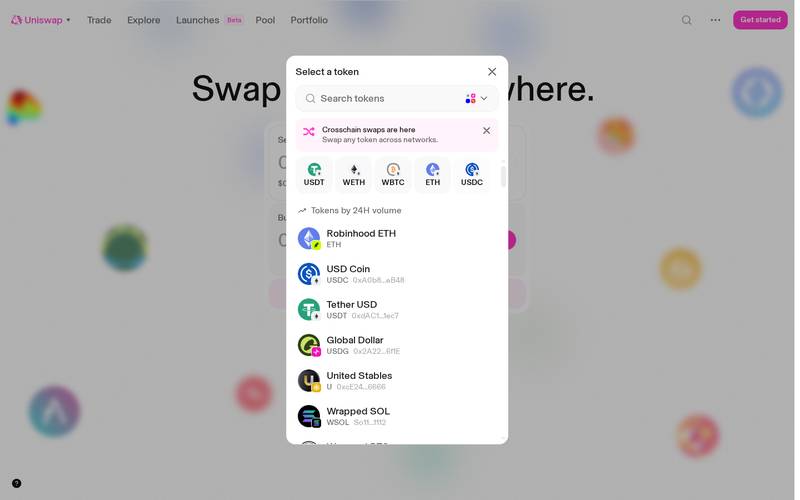
Choose your wallet from the list. MetaMask (a popular browser extension wallet), WalletConnect (a protocol that lets you connect a mobile wallet by scanning a QR code), Coinbase Wallet, and many others are supported.
A wallet is like your personal safe. It holds your tokens and signs (digitally approves) transactions on your behalf. Uniswap never has access to your private key (the secret password that controls your wallet). Connecting your wallet to Uniswap only gives the site permission to see your address, not to move your funds.
If you do not have a wallet yet: MetaMask is the most beginner-friendly starting point. Visit metamask.io, install the browser extension, and follow the setup steps. Write down your seed phrase (a list of 12 or 24 words that can restore your wallet) and store it somewhere safe and offline.
Step 2: Select Your Network
Once connected, check which network your wallet is set to. Uniswap works across multiple blockchains, and you need to be on the same network as the tokens you want to trade.
You will see a network selector near the top of the interface or within your wallet. Click it to choose your network. If you are new and want lower fees, consider Arbitrum or Base instead of Ethereum mainnet. Your wallet will prompt you to confirm the network switch, and you click "Switch Network" or "Approve" to confirm.
Why does network matter? Each network is a separate blockchain environment. Tokens on Ethereum mainnet are not the same as tokens on Arbitrum, even if they have the same name. Make sure your tokens and the network you select match.
Step 3: Enter Your Swap Details
With your wallet connected and network selected, the main swap panel is ready to use.
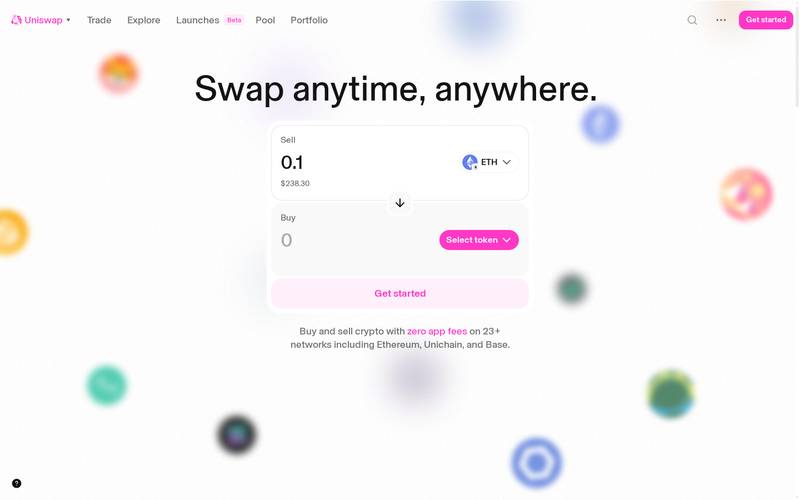
- In the top field labeled "You pay" or "Sell," click the token selector and choose the token you want to send (for example, ETH).
- Type the amount you want to swap.
- In the bottom field labeled "You receive" or "Buy," click the token selector and choose the token you want to receive (for example, USDC).
- Uniswap automatically calculates and displays the amount you will receive based on the current pool rate.
- Review the details shown below the swap panel.
- Click "Swap" and then confirm the transaction in your wallet popup.
Key fields to check before confirming:
| Field | What It Means |
|---|---|
| Rate | How many output tokens you get per input token right now |
| Minimum Received | The worst case you will accept. If the rate drops below this during the transaction it cancels automatically |
| Price Impact | How much your trade moves the market price. Under 1% is fine. Over 5% be careful |
The "Minimum Received" is controlled by a setting called slippage tolerance (the maximum price movement you are willing to accept between clicking Swap and the transaction completing). Uniswap sets a default that works for most trades. You can adjust it manually under the settings gear icon if you need to.
Step 4: Place a Limit Order (Optional)
If you do not want to swap at the current market price, you can use a limit order to specify the rate you want.
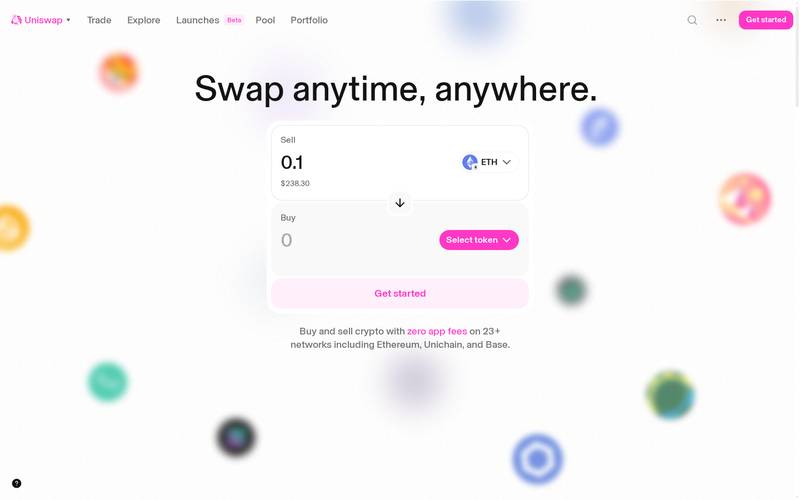
- Click the "Limit" tab at the top of the swap panel (next to the default "Swap" tab).
- Enter the token pair you want to trade, exactly as in Step 3.
- In the price field, enter the rate at which you want the swap to execute. For example, if ETH is currently worth 2,500 USDC and you only want to buy if it drops to 2,300 USDC, type 2,300.
- Set an expiry for the order if prompted (how long the order should remain open before it cancels automatically).
- Click "Place Limit Order" and confirm in your wallet.
- The order sits open on-chain. When the market price reaches your target, it fills automatically. You can cancel it at any time before it fills, though cancelling is itself a transaction that costs a small gas fee.
How to Use a Referral Link
What Is a Referral Link?
A referral link is a special web address that includes a code identifying who sent you to a platform. When you use that link to visit the site and complete a trade, the person who shared the link may earn a small reward, either as a fee share or as a bonus paid by the platform.
Think of it like a tip jar: When a friend recommends a restaurant and gives you a loyalty code, the restaurant gives your friend a small credit for bringing in a new customer. Nobody charges you extra. The reward comes from the platform's economics.
Uniswap's referral and fee-sharing mechanics have evolved over time, including through community governance votes on the UNI token. The exact current referral program terms are N/A (check the official Uniswap documentation and governance forum for the most up-to-date details, as terms can change through governance proposals).
How to Use Someone Else's Referral Link
When someone shares a referral link with you, here is what happens step by step:
Step 1: Open the link
Click the link your friend or influencer shared. It will open Uniswap with a special code in the URL that tells the platform who referred you. The interface looks identical to the standard Uniswap app. Nothing about your trading experience changes.
On desktop:

On mobile:

Step 2: Connect your wallet
Connect exactly as described in the tutorial above. The referral code in the URL is tracked separately from your wallet connection.


Step 3: Review the trade
Proceed with your swap exactly as described in Step 3 of the tutorial. The referral attribution happens in the background. You do not need to do anything differently. The swap rate and fees you receive are the same whether you arrive via a referral link or directly.
Step 4: The Optional Tip
Some versions of the Uniswap interface include an optional tip field that lets you voluntarily add a small amount to reward the interface developer or referrer. This is entirely optional and defaults to zero. If you see this field, you can leave it at zero with no consequence to your trade.
Step 5: Confirm in Your Wallet
After reviewing everything, click the confirm button. Your wallet shows a final confirmation with the exact amounts and the network gas fee (typically $0.50 to $5 depending on the network, and potentially lower on chains like Arbitrum or Base). Approve and the transaction executes in seconds.
How to Create Your Own Referral Link
The ability to create a referral link on Uniswap depends on the current state of the protocol's fee switch and any interface-level affiliate program operated by Uniswap Labs. Because these programs are subject to governance changes, the exact steps to generate your own referral link are N/A (check the official Uniswap documentation at support.uniswap.org for current instructions).
The general process for platforms like this typically works as follows:
- Visit the platform and look for a "Refer" or "Earn" section in the navigation or account menu.
- Connect your wallet. Your wallet address becomes the identifier for your referral earnings.
- The platform generates a unique URL containing your wallet address or a shortened code.
- Copy that URL and share it. Every trade completed through your link may generate a small fee credit payable to your wallet.
- Track your earnings in the referral dashboard if one is provided.
Always verify the referral program is currently active before promoting it to others, as governance votes can activate or deactivate fee-sharing features.
For Uniswap Influencers and Affiliates
If you have an audience interested in crypto, DeFi, or investing, Uniswap is one of the most recognizable brands in the space to promote. Here is what to know:
Brand recognition: Uniswap is one of the most widely cited DEX protocols globally. Your audience is likely to have heard of it, which lowers the barrier to conversion compared to lesser-known platforms.
Content angles that work well:
- "How to swap tokens without a bank or exchange account" tutorials
- Comparisons of gas fees across networks (for example, Ethereum mainnet vs Arbitrum)
- Explainers on earning passive income by providing liquidity
- Walkthroughs of limit orders for audiences familiar with stock trading
Affiliate program status: N/A (check the Uniswap Labs website or partnership contact page for any formal affiliate or grants program currently available).
Honest disclosure: Always disclose to your audience when you use a referral link. This is a legal requirement in many jurisdictions (including the United States and United Kingdom under FTC and ASA guidelines respectively) and is simply good practice for maintaining trust.
Content format tips:
- Video walkthroughs perform well for DeFi tutorials because the interface can feel intimidating to newcomers
- Screenshot-heavy written guides rank well in search for queries like "how to use Uniswap"
- Including real transaction examples with real gas fee amounts builds credibility
Security: What You Need to Know
Uniswap has one of the longest track records of any DeFi protocol. The core smart contracts have been audited multiple times by reputable security firms. However, no system is risk-free, and beginners especially need to understand the following:
Smart contract risk: Uniswap's code has been audited and has operated for years without a major hack of the core protocol. However, smart contracts are software, and all software can contain bugs. Using a long-established protocol like Uniswap is lower risk than using a brand-new, unaudited project, but it is never zero risk.
Front-end phishing risk: The Uniswap smart contracts themselves are secure, but fake websites that look like Uniswap are a real threat. Always verify you are on app.uniswap.org. Bookmark the real URL. Never click a Uniswap link from a social media DM or unsolicited email.
Impermanent loss (for liquidity providers): If you deposit tokens into a liquidity pool, you can experience impermanent loss. This means that if the price of one token in your pair moves significantly while your tokens are in the pool, you may end up with less total value than if you had simply held the tokens. The name is misleading: the loss becomes permanent if you withdraw after a large price move.
Token scams: Because anyone can create a token and list it on Uniswap without approval, there are many scam tokens. Always verify a token's contract address from an official source before buying. A token can have the same name as a legitimate coin but a different contract address, making it worthless.
Security history: N/A (no specific incident data was available in research materials at time of writing. For a current security history, consult the Uniswap governance forum and reputable security tracking sites such as Rekt News).
Best practices:
- Only visit app.uniswap.org. Bookmark the URL now.
- Never share your seed phrase (recovery words) with anyone or any website.
- Start with a small test trade before moving large amounts.
- Revoke token approvals you no longer need using a tool such as revoke.cash. When you approve a token for trading, you give the contract permission to spend it. Revoking removes that permission when you are done.
- Use a hardware wallet (a physical device that stores your private key offline) for significant amounts.
- Check the contract address of any token you are buying against a trusted source such as CoinGecko or the project's official website.
- Be skeptical of any token promising extremely high returns in a liquidity pool.
Uniswap vs Competitors
| Feature | Uniswap | Curve Finance | SushiSwap | dYdX |
|---|---|---|---|---|
| Type | AMM DEX | AMM DEX (stablecoin-focused) | AMM DEX | Perpetuals DEX |
| Networks supported | Ethereum, Arbitrum, Optimism, Polygon, Base, others | Ethereum, multiple others | Multiple chains | Dedicated chain |
| Best for | General token swaps | Stablecoin and similar-asset swaps | Swaps plus yield farming | Leveraged trading |
| Governance token | UNI | CRV | SUSHI | DYDX |
| Interface fee | Yes (varies, check docs) | N/A (check docs) | N/A (check docs) | N/A (check docs) |
| Limit orders | Yes | No (typically) | N/A (check docs) | Yes |
| Requires account | No | No | No | Yes (on some versions) |
| Liquidity provision | Yes | Yes | Yes | No (different model) |
| Track record | Since 2018 | Since 2020 | Since 2020 | Since 2017 (dYdX v1) |
Note: Competitor data is approximate and based on publicly available information. Always verify current features on each platform's official site.
Verdict
Who Uniswap is for:
- Crypto holders who want to swap between tokens without creating an account on a centralized exchange
- People who value self-custody (keeping full control of their own funds at all times)
- Investors who want access to newly launched tokens before they appear on major exchanges
- Those who want to earn passive income by providing liquidity to trading pools
- DeFi beginners who want to start with a well-established, widely audited protocol
- Users on Arbitrum, Base, or Optimism who can swap for very low fees
Who should look elsewhere:
- Complete beginners who have not yet set up a crypto wallet. Set up a wallet first, then return.
- Users who want to buy crypto with a debit card or bank transfer. Uniswap only handles token-to-token swaps. Use a centralized exchange like Coinbase or Kraken to convert fiat (regular money) to crypto first.
- Users who want leveraged trading (borrowing to amplify gains and losses). Uniswap does not offer leverage. Consider a perpetuals DEX for that.
- People who find the gas fee system confusing and want a flat, predictable cost structure.
- Anyone not comfortable taking full responsibility for their own wallet security.
Rating: 4.5 / 5
Uniswap earns its place as the reference standard for decentralized exchanges. The interface is cleaner than most DeFi applications, the protocol has a long and mostly reliable security history, multi-network support keeps fees manageable, and the addition of limit orders has made it genuinely competitive with more complex platforms. The main friction points remain those inherent to all self-custody DeFi: you need a funded wallet before you can do anything, gas fees on Ethereum mainnet can be painful during busy periods, and the risk of token scams requires constant vigilance. None of those problems are unique to Uniswap, and on balance the platform handles them better than almost any alternative.
Quick Links
- Main app: https://app.uniswap.org
- Official documentation: https://docs.uniswap.org (verify current URL in your browser)
- Governance forum: https://gov.uniswap.org (verify current URL)
- Token approval revocation tool: https://revoke.cash
- Gas fee tracker for Ethereum: https://etherscan.io/gastracker
- MetaMask wallet setup: https://metamask.io
- Token verification: https://www.coingecko.com
Last verified: October 20, 2026. Screenshots taken live from app.uniswap.org.
Defiliban · Ada Michael

Ada Michael
@ada-michael